The chat is the invoice
You sent it in WhatsApp last month. Now you’re scrolling for the amount, the IBAN, and whether they actually paid.
No guessing what it was for. No "did you get it?" No digging through a bank statement to remember.
SlickBills makes the record right the first time — for a coffee shop, a client invoice, or a friend you're splitting rent with.
Nobody has both. That’s when people start scrolling, guessing due dates, and sending the IBAN again.
You sent it in WhatsApp last month. Now you’re scrolling for the amount, the IBAN, and whether they actually paid.
They thought Friday. You meant the Friday after. The reminder is you, typing again.
IBAN in a message, name doesn’t match the account, the transfer sits until someone notices.
They have a bank screenshot. You still have an unpaid bill. There’s no list you both trust.
Not a gallery — the path a bill actually takes. Click a step, or let it play.
01 — Sign in
Google, Facebook, or email. Then you send and receive euro bills — no extra wallet app to learn first.
02 — Create
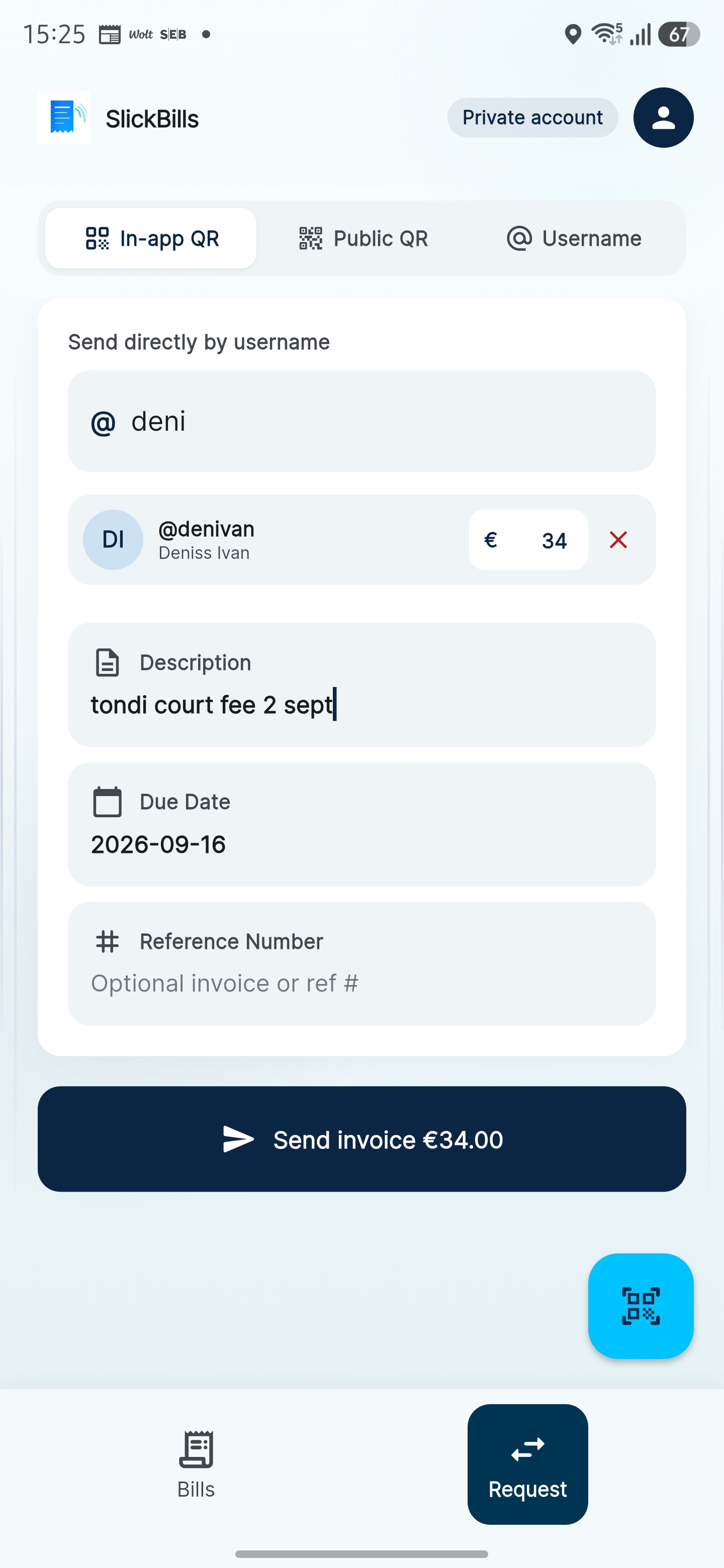
Find them by username, type the amount and what it’s for. The record is right before anyone pays.
03 — Share
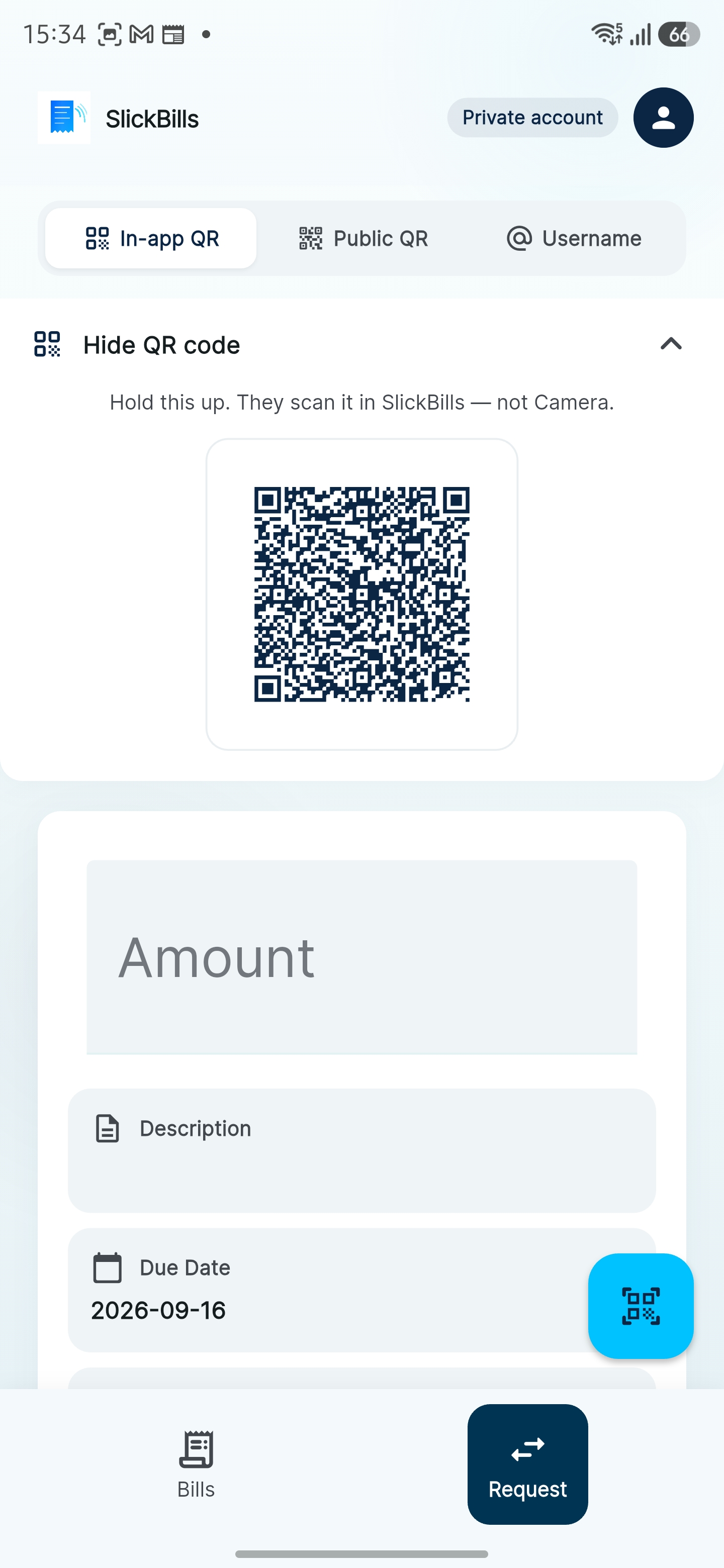
They scan it in SlickBills — not Camera. Same bill, no IBAN pasted into a chat.
04 — They see it
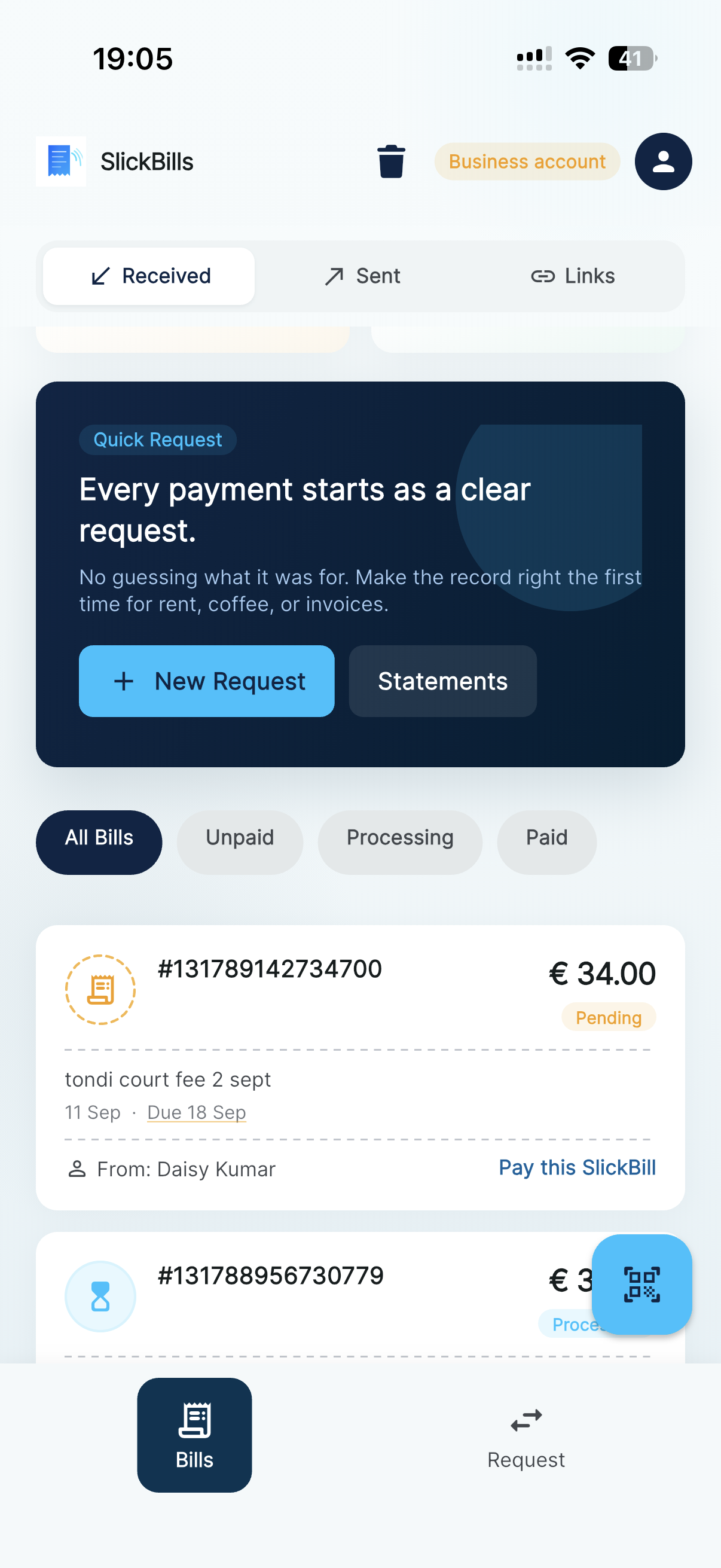
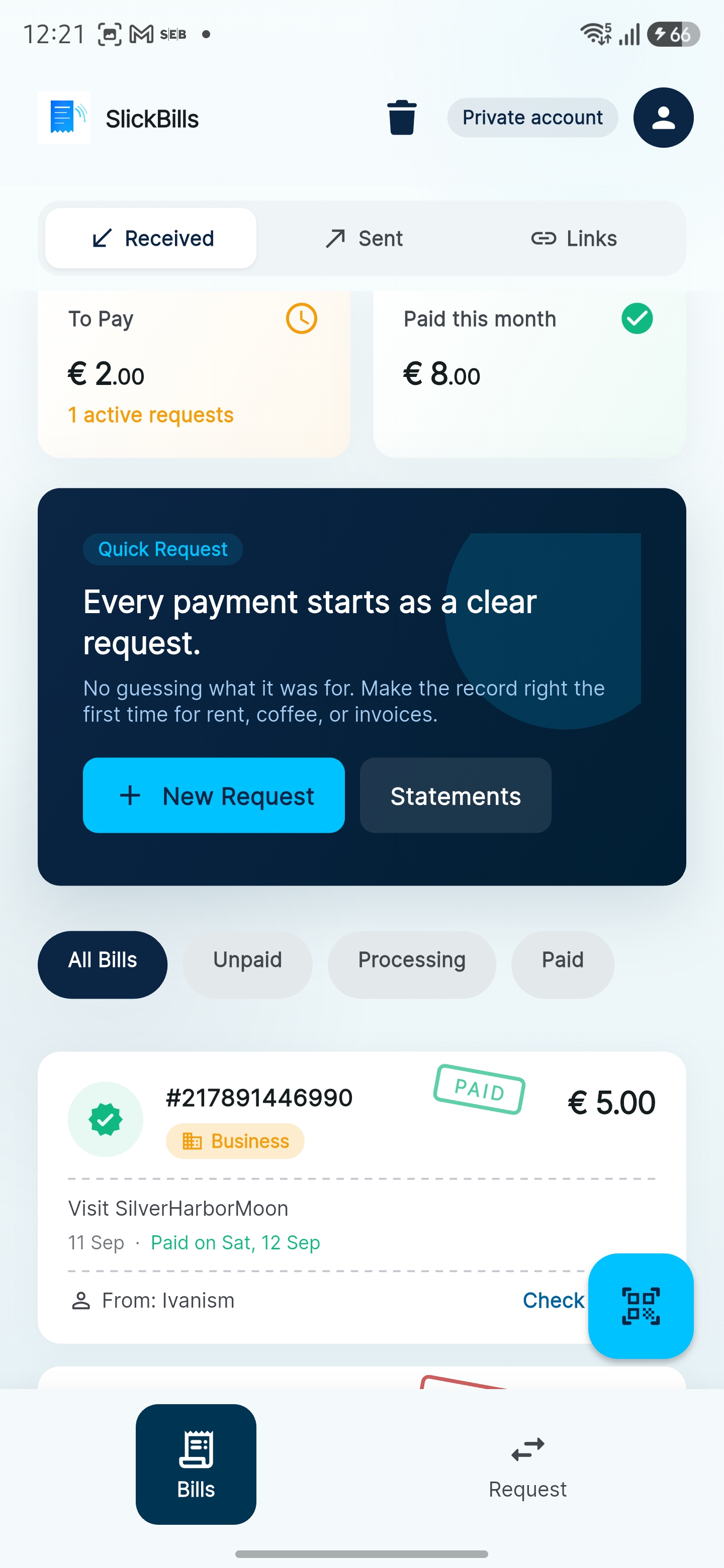
To pay this month, unpaid vs paid, the due date. Both sides look at the same list.
05 — Open the bill
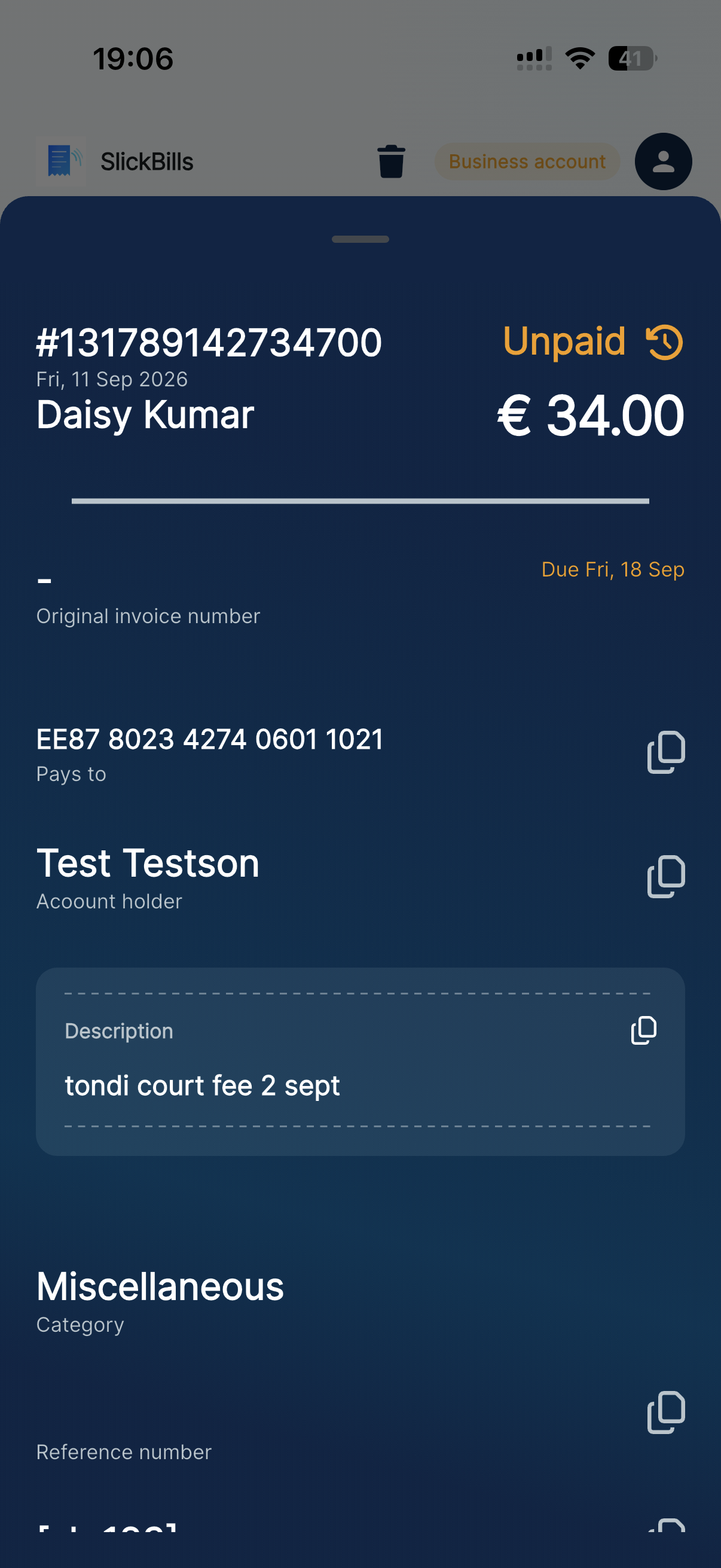
Who sent it, the euro amount, IBAN, due date, and Pay. No “can you send the details again?”
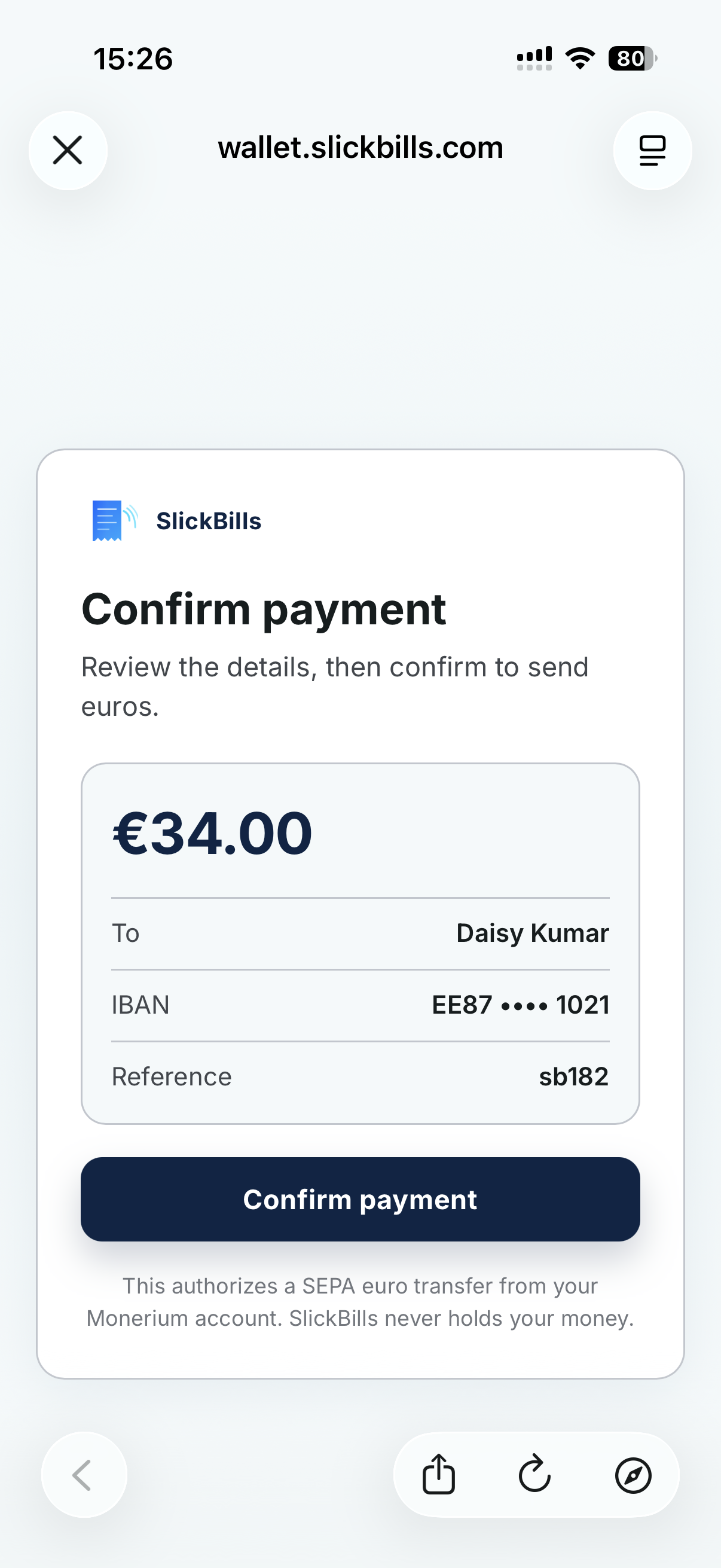
06 — Confirm
The euro leaves their account and lands in yours. SlickBills never holds the money — it only records the request.
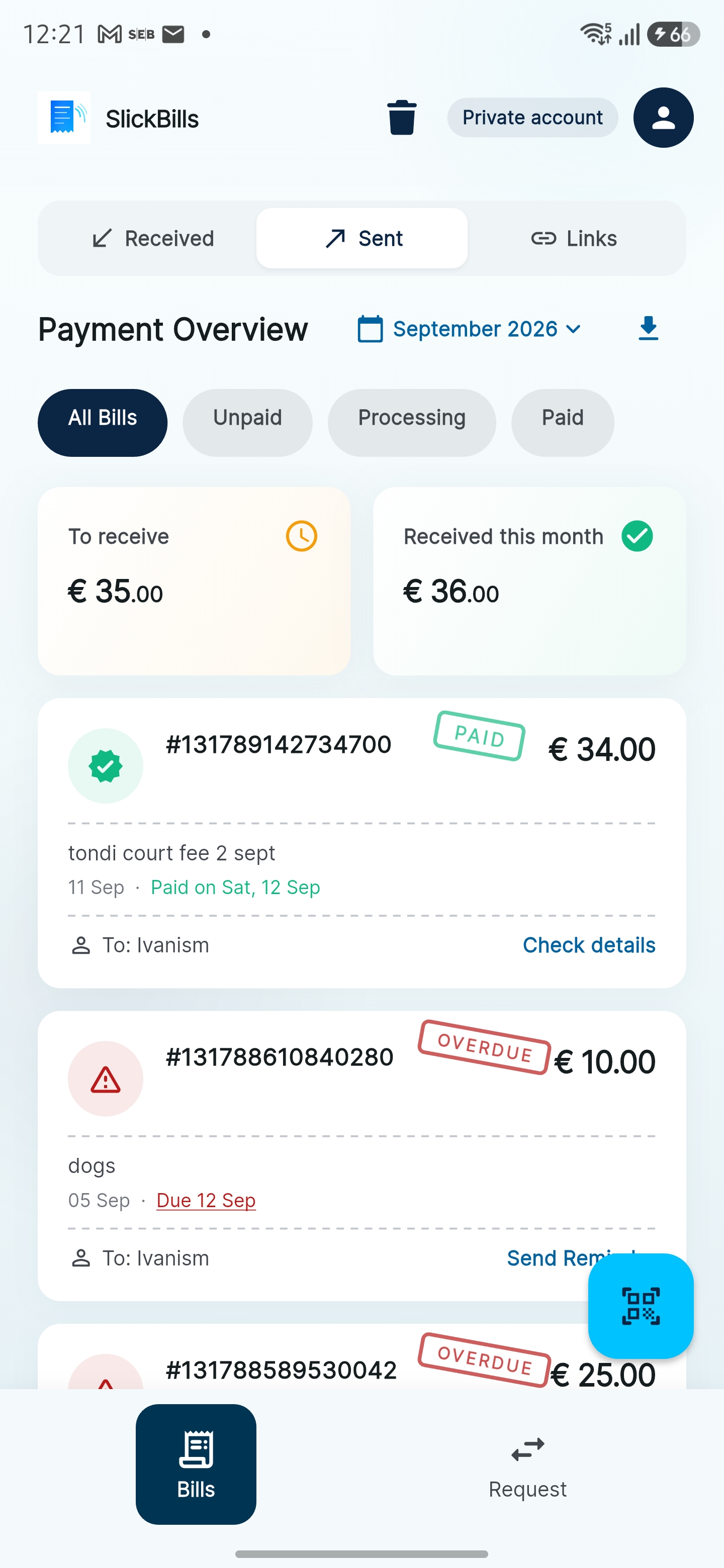
07 — You track it
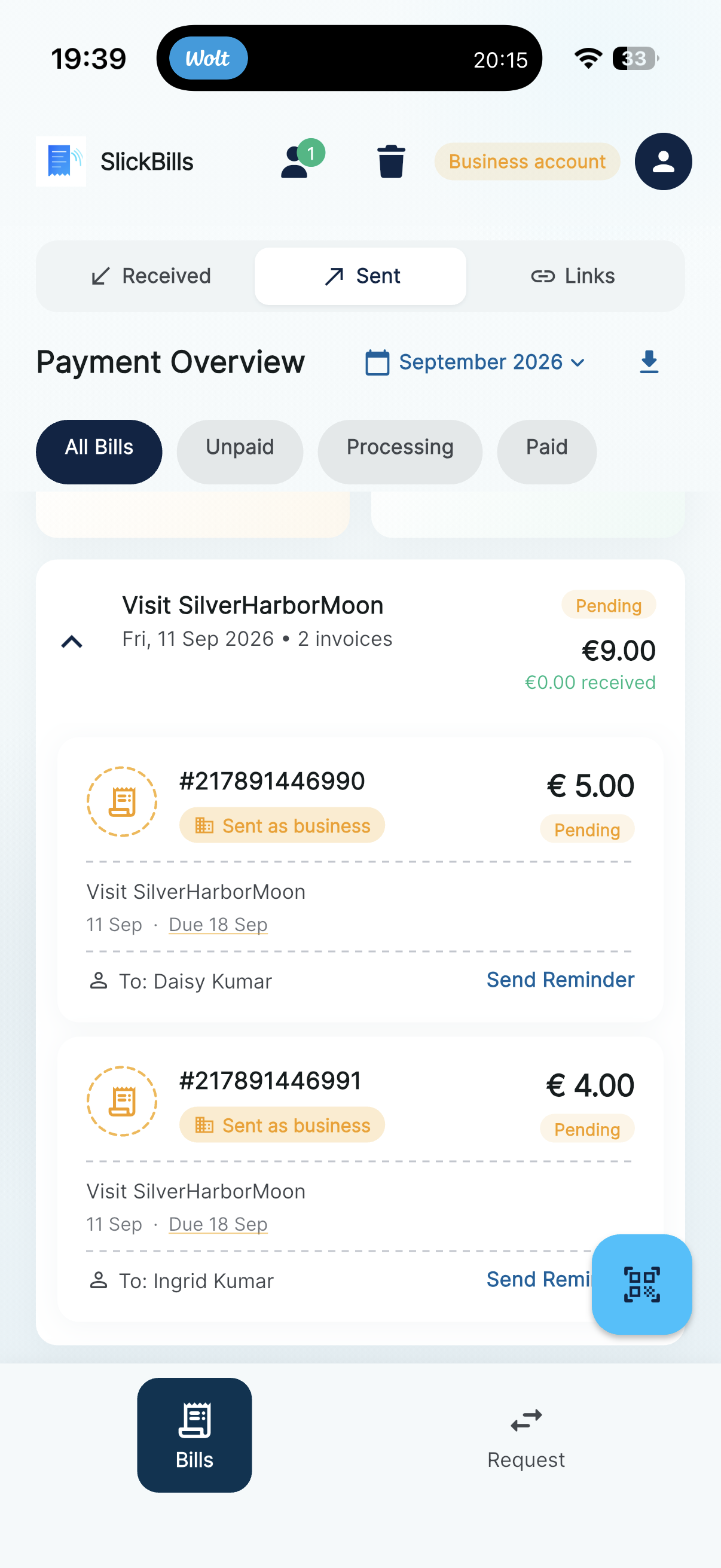
Processing, pending, remind. The “did you get it?” thread never starts.
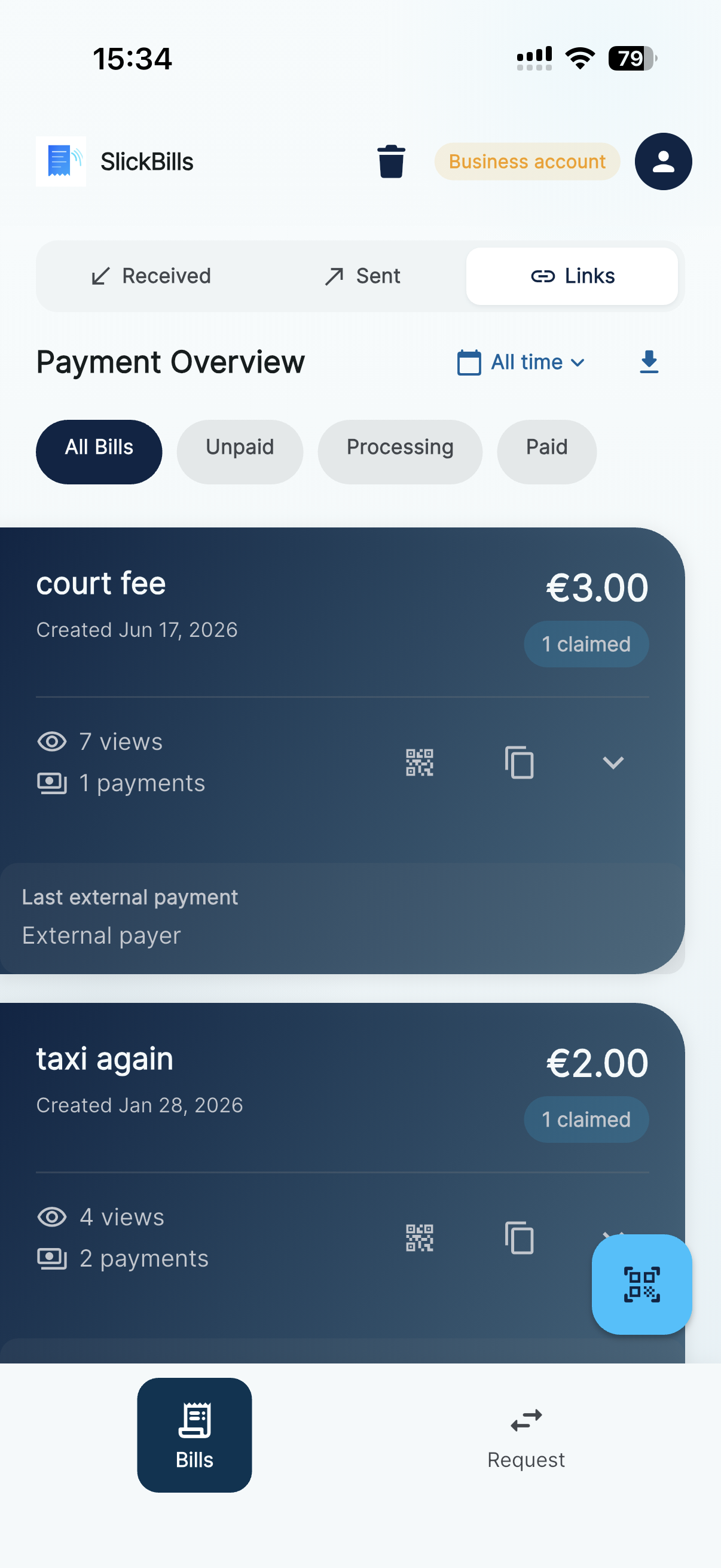
08 — Public link
Public QR links for a stall or a shop: views, claims, and payments without a POS integration.
A general shop bills the visit. A restaurant splits the table. In both cases they check in, you send the amount, they tap Pay in SlickBills. No reader in your hand. If they walk out still owing, app users tap Pay later — everyone else settles the IBAN on the public bill from their own bank.
The visit is the session. You send the amount to whoever is open. Paying is a tap in the app — not a second QR over the till.
They walk in, they’re on a visit, you send the bill. Same flow whether it’s bread, paint, or flowers.
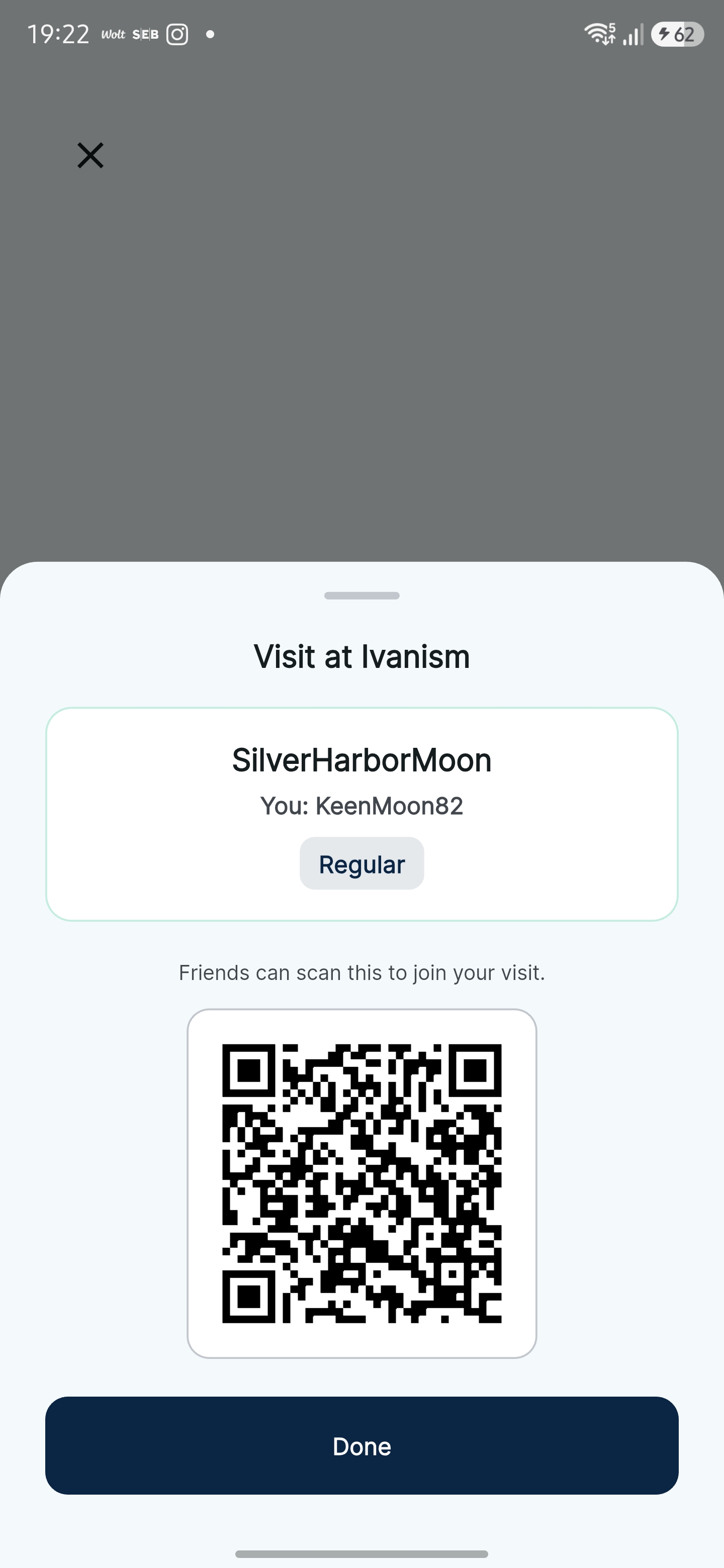
Friends join the visit. You split amounts. Each phone gets its own request. They pay in parallel.
SlickBills users open the same bill and tap Pay. If they never installed, the public invoice has your euro IBAN — they transfer from the bank they already use.
01 — Business
Your shop name goes on every bill. You already have a euro IBAN — that’s where the money lands, whether they pay in-app or from their bank later.
02 — They check in
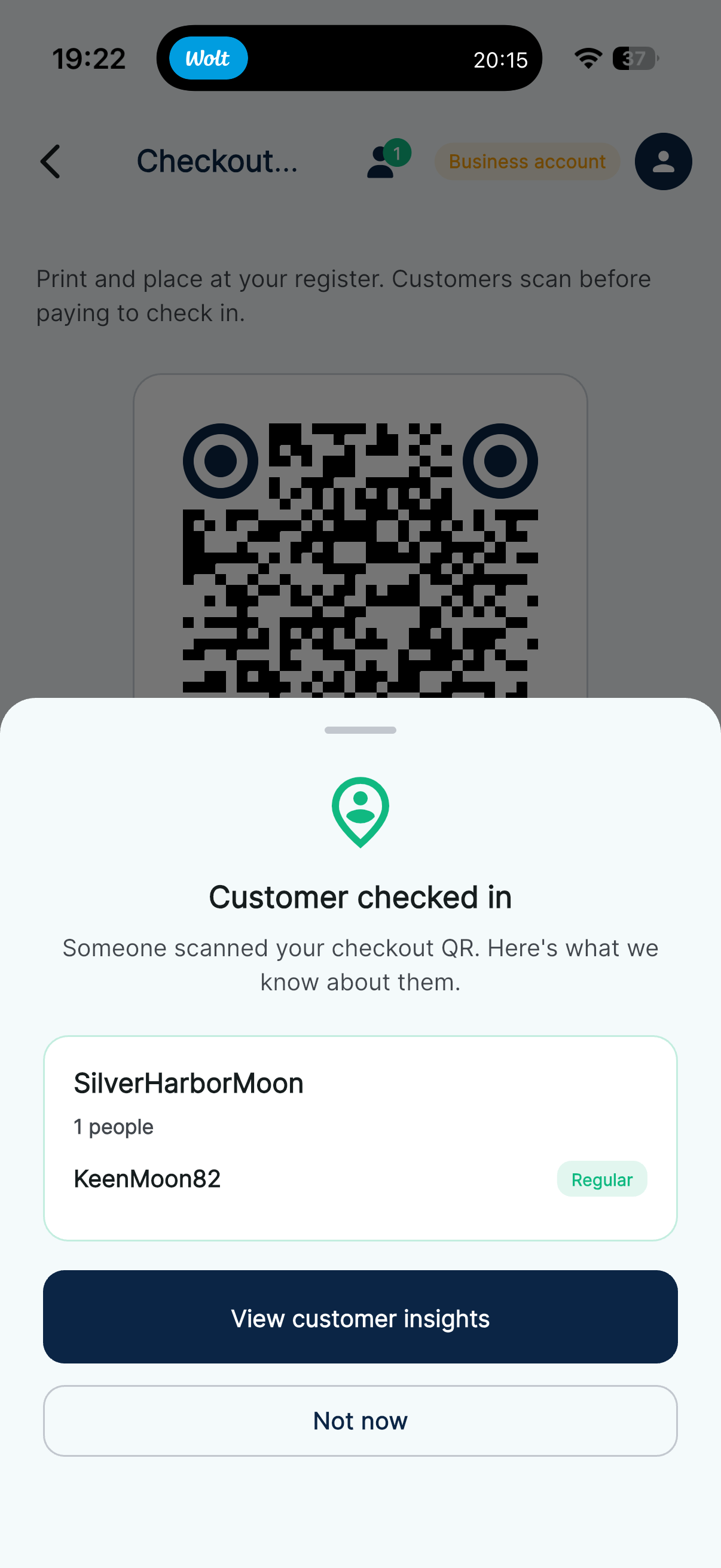
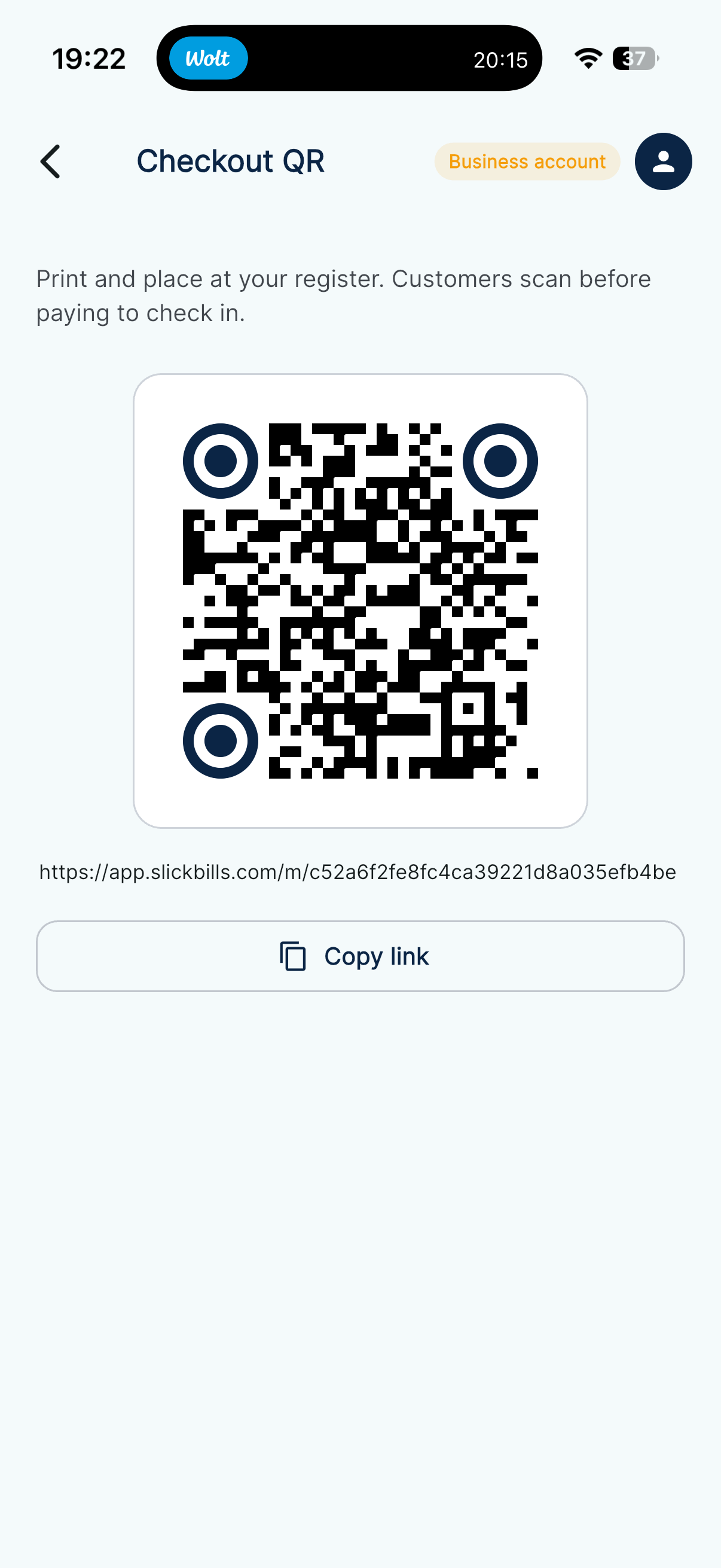
A QR on the counter starts the visit, not the payment. They’re open on your phone before you ring anything up.
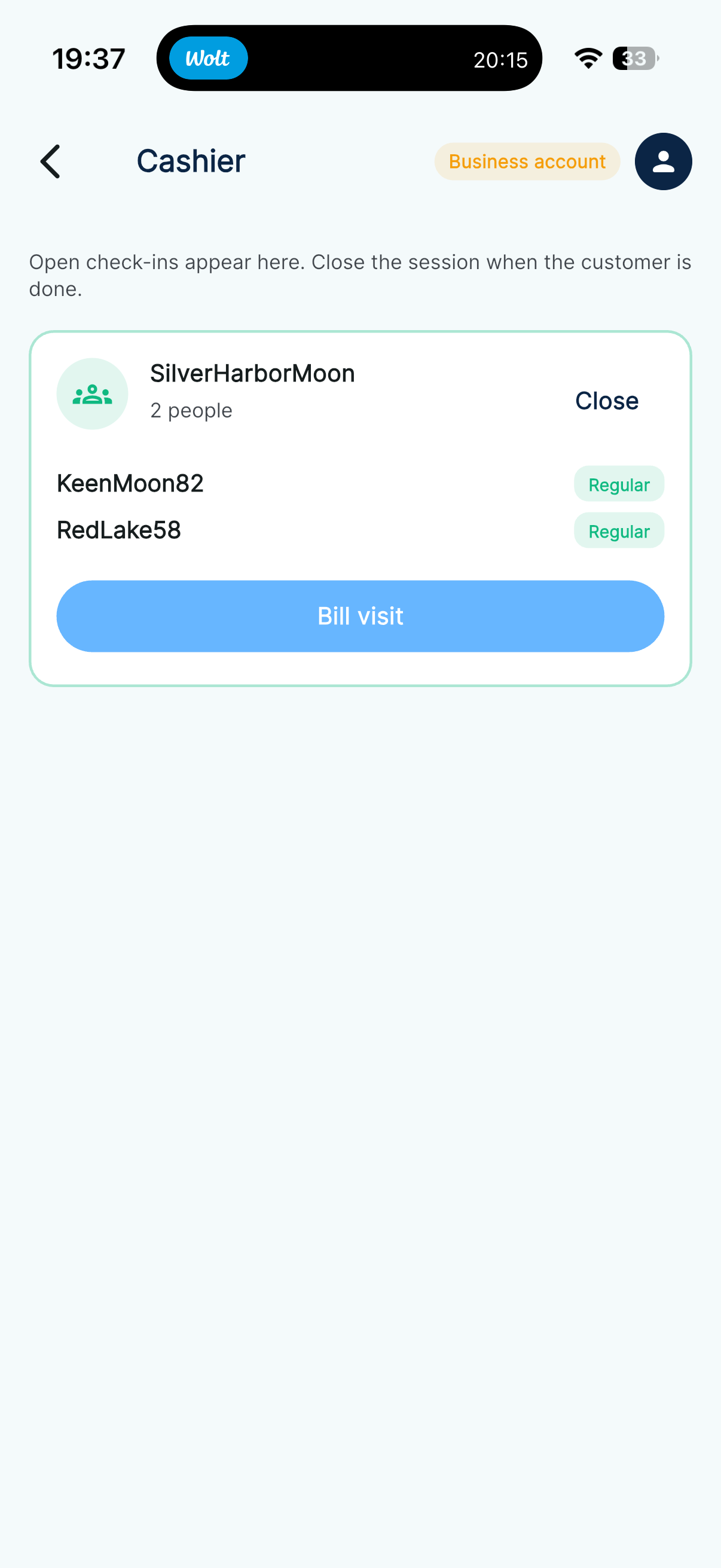
03 — You see them
You know they’re in the shop. Bill them when the bag is packed — no card reader, no pay QR over the till.
04 — Bill the visit
One euro request for this visit. What they bought, what they owe — already named.
05 — They tap Pay
The bill is already open. They confirm. You’re not waiting on a terminal, and they’re not scanning a second code.
06 — If they walk out owing
If they already use SlickBills, nothing new to send. The visit bill is still there when they open the app.
07 — No app
Swedbank, LHV, Revolut, Wise — whatever they already use. The invoice carries your euro IBAN, so the transfer has a place to land without a chat thread of details.
08 — You track it
The visit, the in-app pay, and the bank transfer all show on the same sent list.
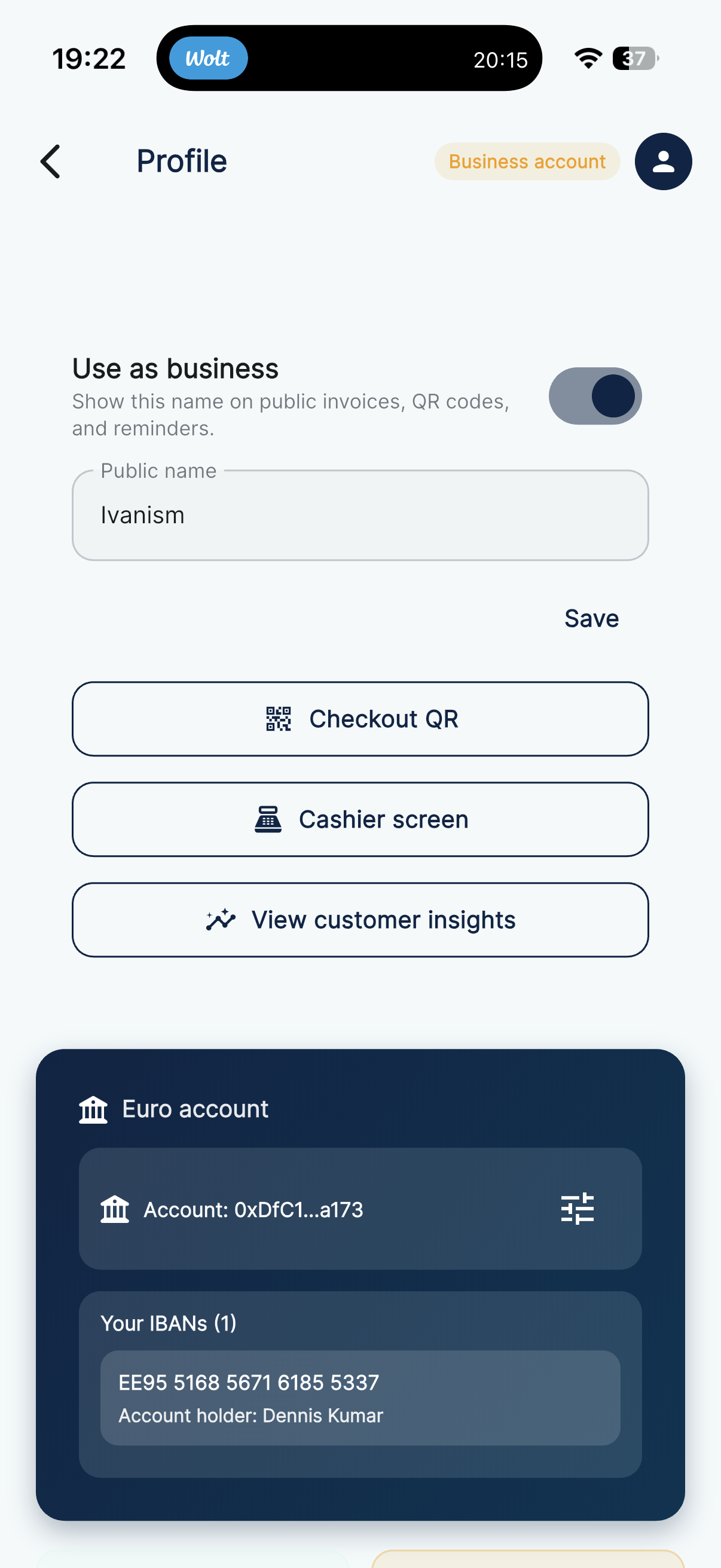
01 — Business
Your public name shows on bills and the check-in QR. Euro payouts still go to your IBAN.
02 — Check-in QR
Guests scan it in SlickBills to join the visit — not to pay. Print it, or copy the link.
03 — They check in
A codename keeps it private. They can show a join QR so the table is billed together.
04 — Ping
A check-in on your phone — and whether they’re a regular — without interrupting service.
05 — Cashier
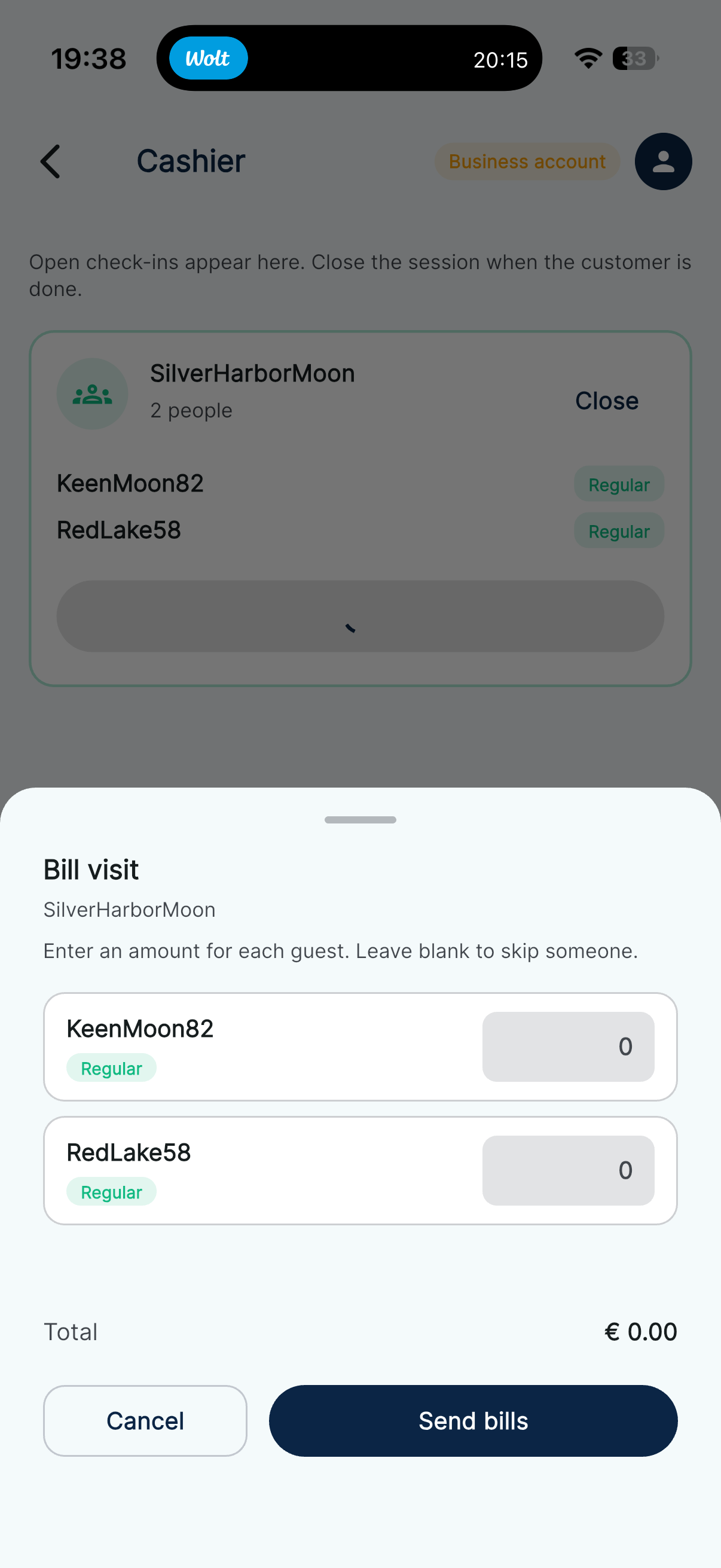
See the table. Send everyone’s amounts at once, or close the visit when they leave.
06 — Split
Leave someone blank to skip them. Each person gets their own euro request — no four taps on a terminal.
07 — Their bill
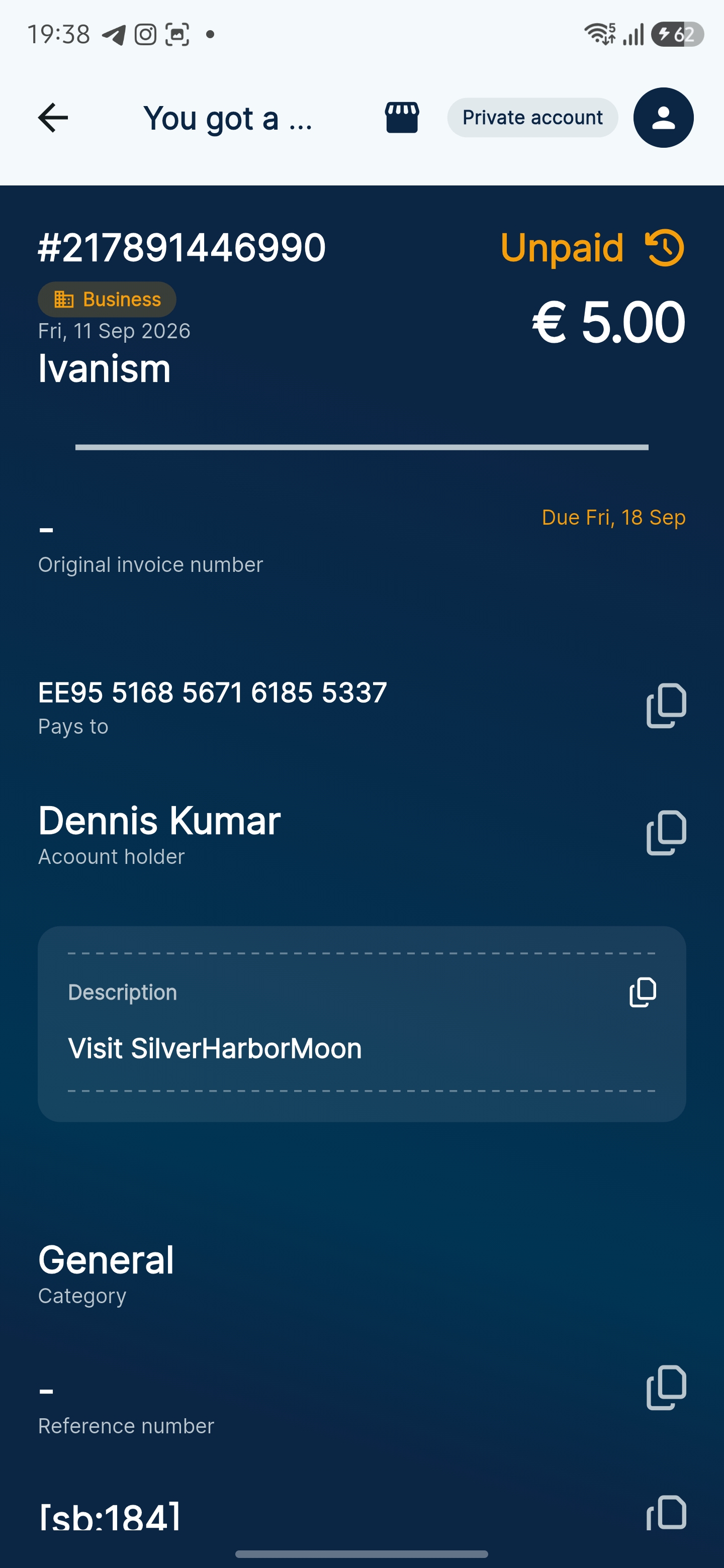
Who it’s from, the amount, and Pay. They pay in parallel while you already moved on.
08 — You track it
Pending, processing, paid. If someone left without paying, remind from the same screen — or they settle the IBAN on a public bill from their own bank.
A euro request with a status. That’s the product — not another chat, not another bank screenshot.
Amount, who it’s for, why, and a due date. Then send it, or hold up a QR.
A nudge before it’s due, attached to the same request — not a new WhatsApp thread.
Received and Sent show unpaid, processing, and paid. You don’t argue about which screenshot is newer.
IBAN and amount are already on it. You don’t copy them out of a chat into your bank app.
Useful when you’re not in the same country as the person you’re paying — the bill still has the details.
The euro goes to your IBAN. SlickBills records the request. It doesn’t hold the funds.
Create a payment request, send it once, and follow every update without chasing in chat apps.
Add the amount, who it is for, and a due date in under a minute.
Send it once — or hold up a QR — and follow status without chasing in chat.
They confirm the SEPA transfer. Proof lands in the same thread.
Split a bill with friends, send one request, and see who has viewed and paid.
Why People Trust SlickBills
Join the early group and choose your platform. If you prefer, you can open the app directly.